 Saff
Saff
Your masjid,
in your pocket.
Saff, from the first row of the jamat.
Saff carries the real jamat times your masjid publishes, counted down to the second, with a private journal of your showing up.
free · no ads · no accounts · no tracking
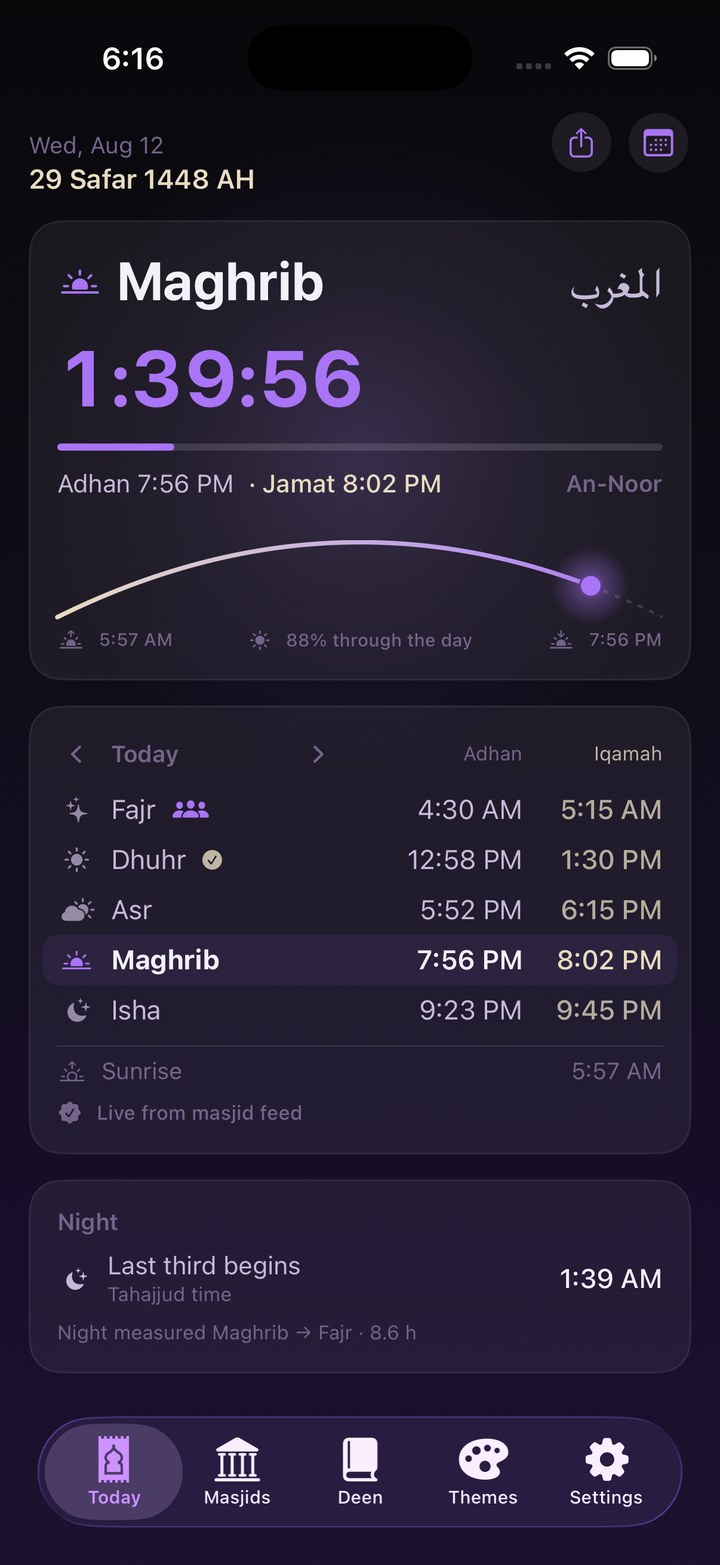
Calculated times tell you when the prayer starts. Saff tells you when your masjid prays.
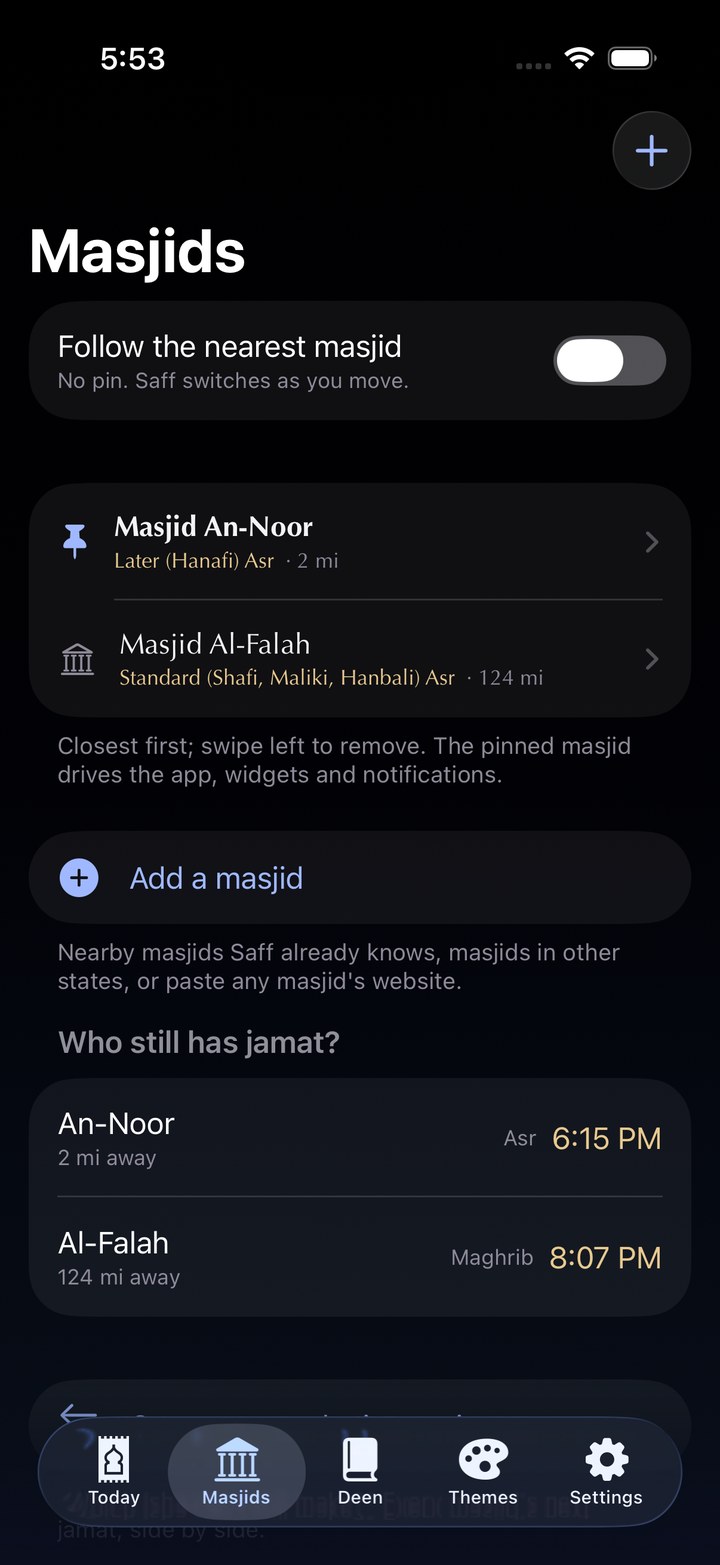
Masjids publish their iqamah schedules on four different platforms. Saff reads them all, keeps them fresh, and alerts you when an iqamah moves. When they change Fajr, your phone knows before the announcement board does.
Pick from the masjids Saff already knows near you, search any state, or paste your masjid's website and it finds the feed itself. Pin one masjid, or pin nothing and let Saff follow whichever is closest as you move through the week.
The compare view answers the real question: which Isha can you still make?
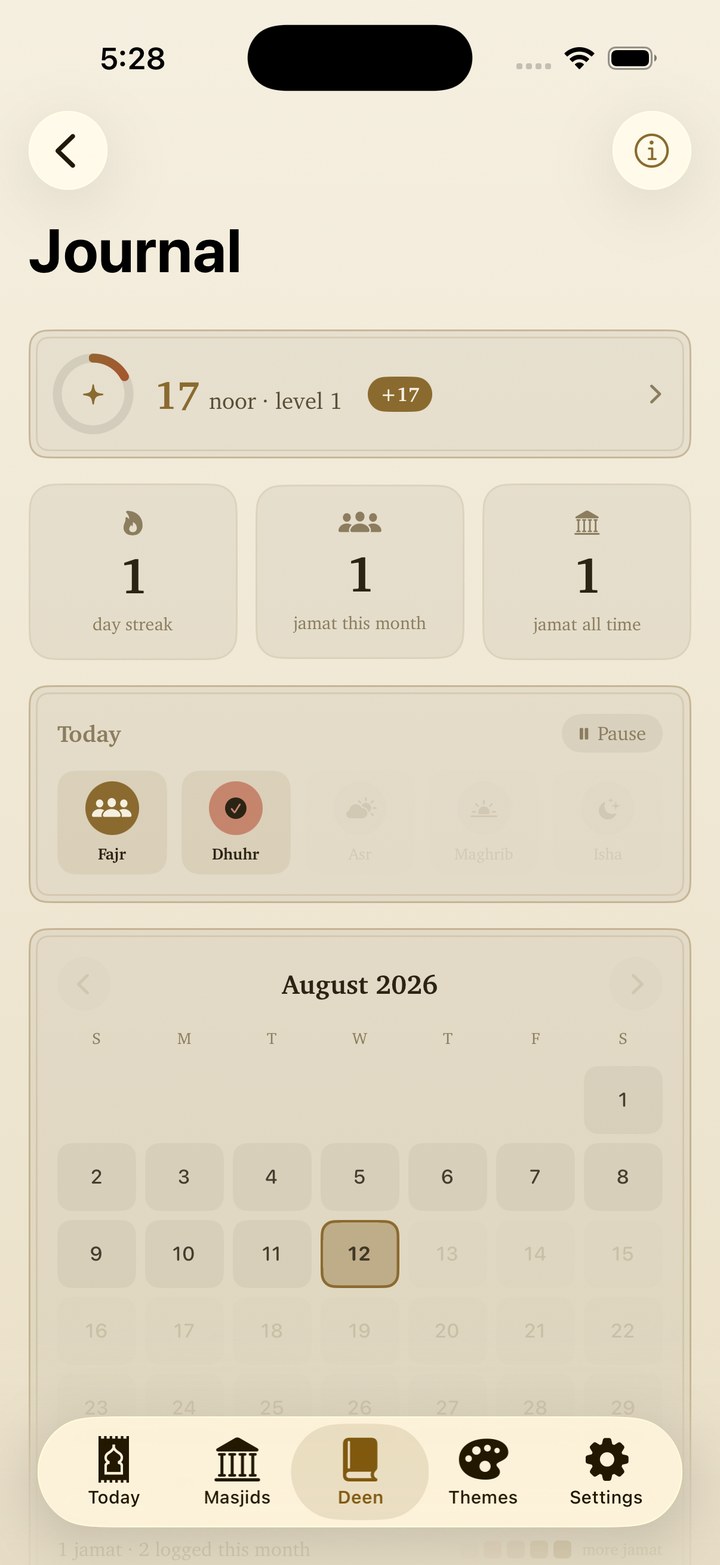
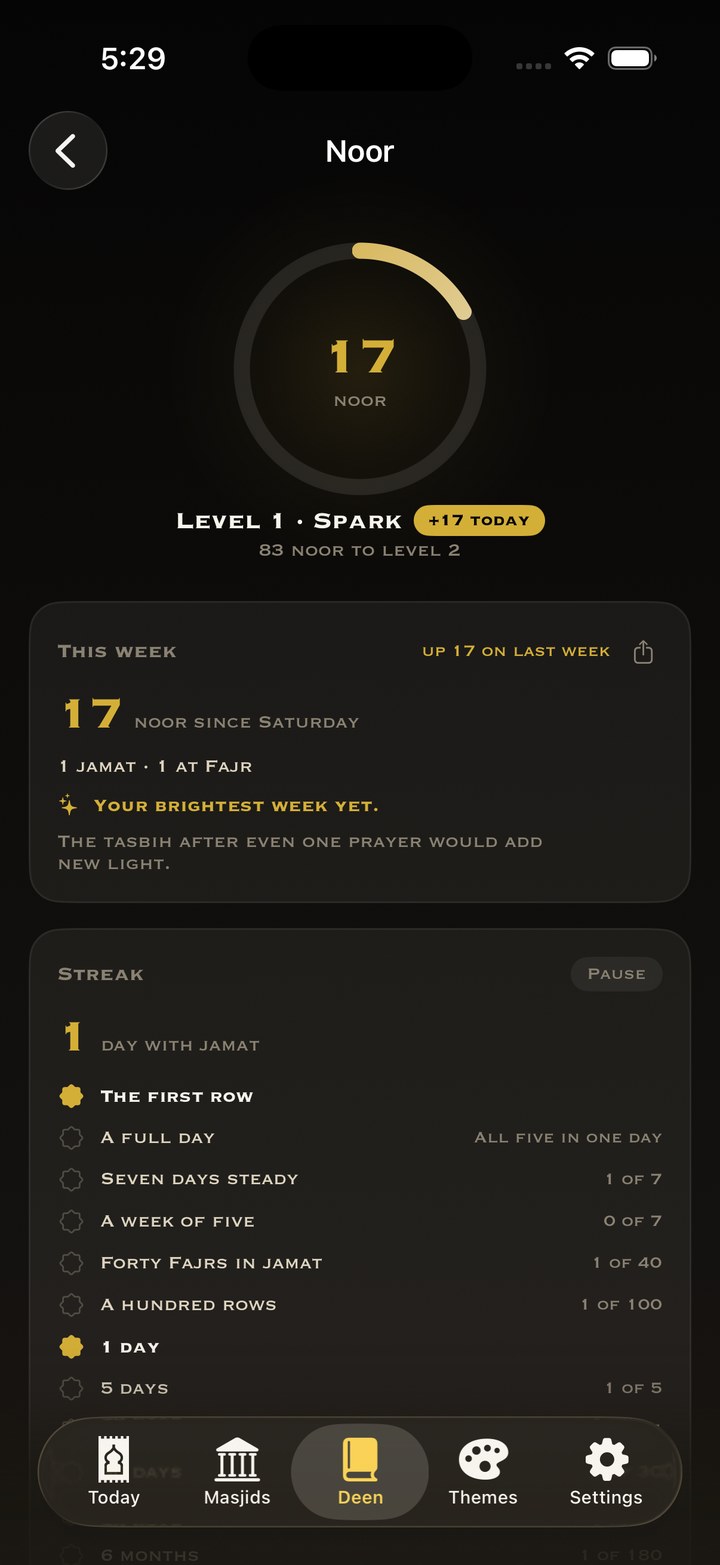
A journal that never judges.
Tap a prayer once it passes: on time, in jamat, or made up later. There is no missed button and nothing red, just an honest picture of your week and your streaks.
Showing up gathers noor. Jamat earns more, Fajr and Isha jamat earn the most, and the number only ever goes up. Set one niyyah for the week; keep one line from the khutbah before the week takes it.
Private means private.
The journal is never uploaded, synced, or seen by anyone, including us. Delete the app and it's gone. That's the whole policy.
The rest of the deen, done right.
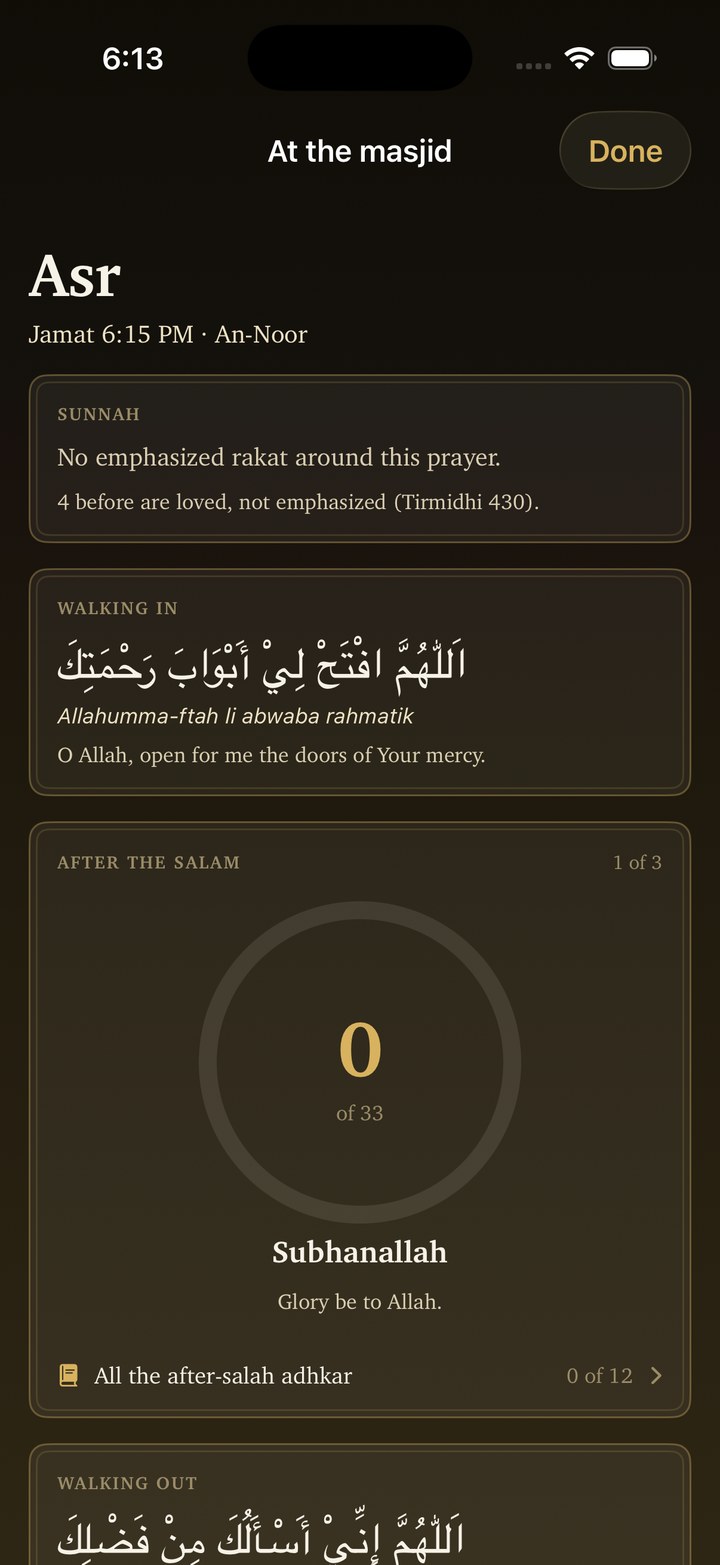
- At the masjid modephone down
- 33-33-34 tasbihafter the salam
- Morning & evening adhkarwith counters
- Qibla compassaccuracy readout
- Hijri calendarwhite days marked
- Zakat calculatorgold or silver nisab
- Flight prayer windowsno signal needed
- Five widget styleslock screen too
- Apple Watch appwith complications
- Duas with tashkeel28 of them
The Sky widget paints the sun and moon where they actually are right now.
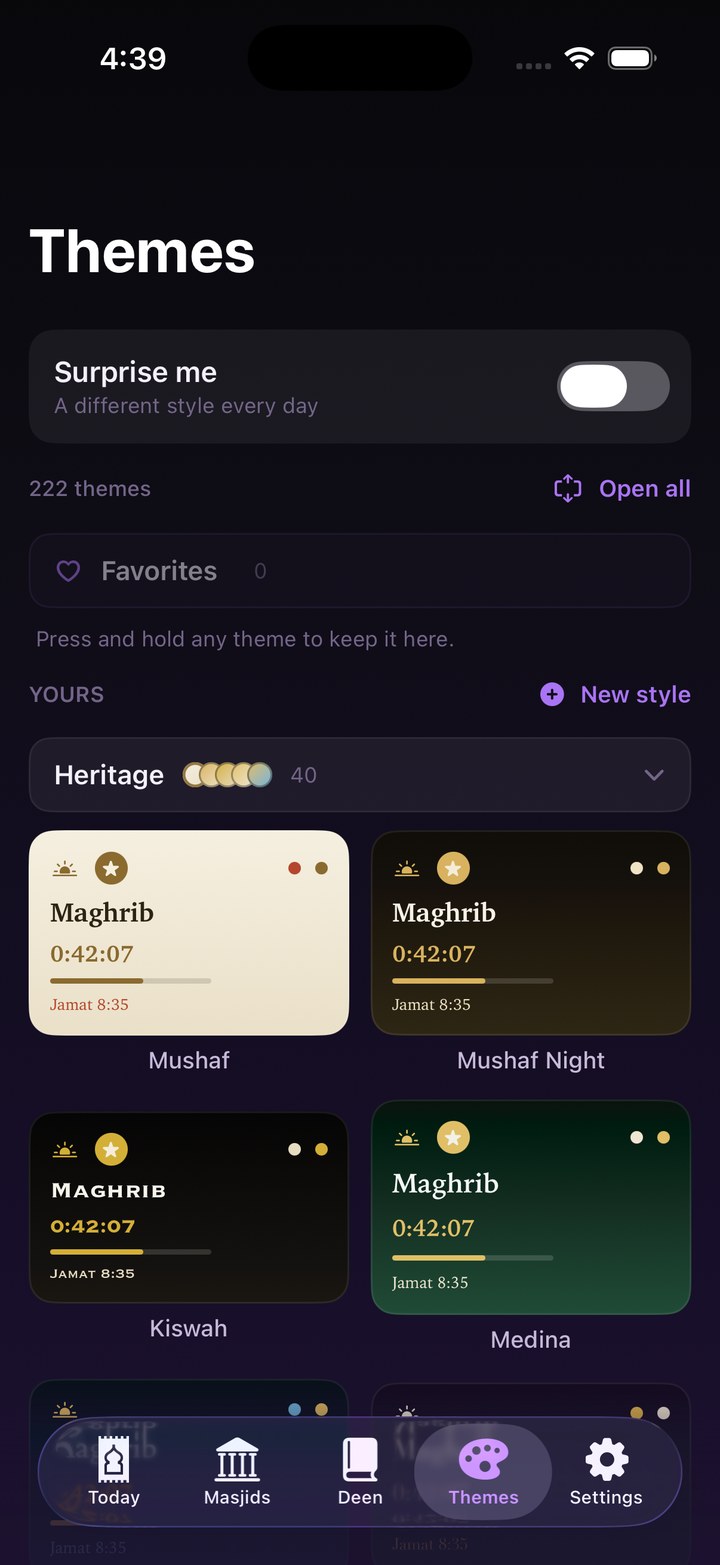
There is no one color for Saff.
220 themes in 19 drawers: cities of the Muslim world, auroras, near-black midnights, twenty full light modes, a Chicago set, and a few that are just fun. The app icon recolors to match, and you can build your own theme from scratch.
This page wears them too. Try it:
لَوْ يَعْلَمُ النَّاسُ مَا فِي النِّدَاءِ وَالصَّفِّ الأَوَّلِ
If people knew what was in the adhan and the first row, they would draw lots for it.
Bukhari 615 · getting you into the row is the whole point
The first row is waiting.
Free for everyone, from one Muslim to the ummah.
iphone · apple watch · ios 17+